Retouching
Photo retouching
with real layers.
A full retouch arsenal — healing, clone stamp, frequency separation, liquify and dodge & burn — on real, non-destructive layers, in your browser and on desktop. Try it free; $19.99 to own, no subscription.
One-time payment of $19.99 — no subscription. Price in USD and includes any applicable VAT or sales tax — nothing is added at checkout. EU/UK consumers have a statutory 14-day right of withdrawal — our 30-day money-back guarantee goes further. By continuing to checkout you agree to our Terms · Refunds and License.
⏳ Limited-time introductory price — increases to $34.95. 30-day money-back guarantee. Price in USD, VAT included.
Retouch arsenal
Professional retouching, non-destructively
The tools pros reach for, on layers you can always undo.
Healing & clone
Remove blemishes and distractions while matching surrounding texture.
Frequency separation
One click splits tone and texture so you can smooth skin without losing detail.
Liquify
Push, pull and reshape — with an automatic backup layer to step back.
Dodge & burn
Sculpt light and shadow on separate layers for depth and dimension.
Masks & layers
Every retouch lives on a reversible layer with mask support.
Clean export
Full-quality PNG, JPG and WebP with no watermark.
FAQ
Common questions
Does it have a healing brush?
Yes. Healing and clone-stamp tools remove blemishes and distractions while matching surrounding texture.
Can I do frequency separation?
Yes — one-click frequency separation splits tone and texture onto separate layers so you can even out skin without losing detail.
Is there a liquify tool?
Yes. Liquify lets you push, pull and reshape pixels, and it auto-saves a backup layer so you can step back.
Is retouching non-destructive?
Work on duplicate and adjustment layers with masks so every retouch stays reversible until you flatten.
Serious retouching, one-time price
Own the tools for $19.99 — no subscription, no watermark.
One-time payment of $19.99 — no subscription. Price in USD and includes any applicable VAT or sales tax — nothing is added at checkout. EU/UK consumers have a statutory 14-day right of withdrawal — our 30-day money-back guarantee goes further. By continuing to checkout you agree to our Terms and License.
See it work
See the pro tools in action.
Two techniques that usually take a stack of manual layers — one-click frequency separation, and a smooth liquify push. Tap a video to watch.
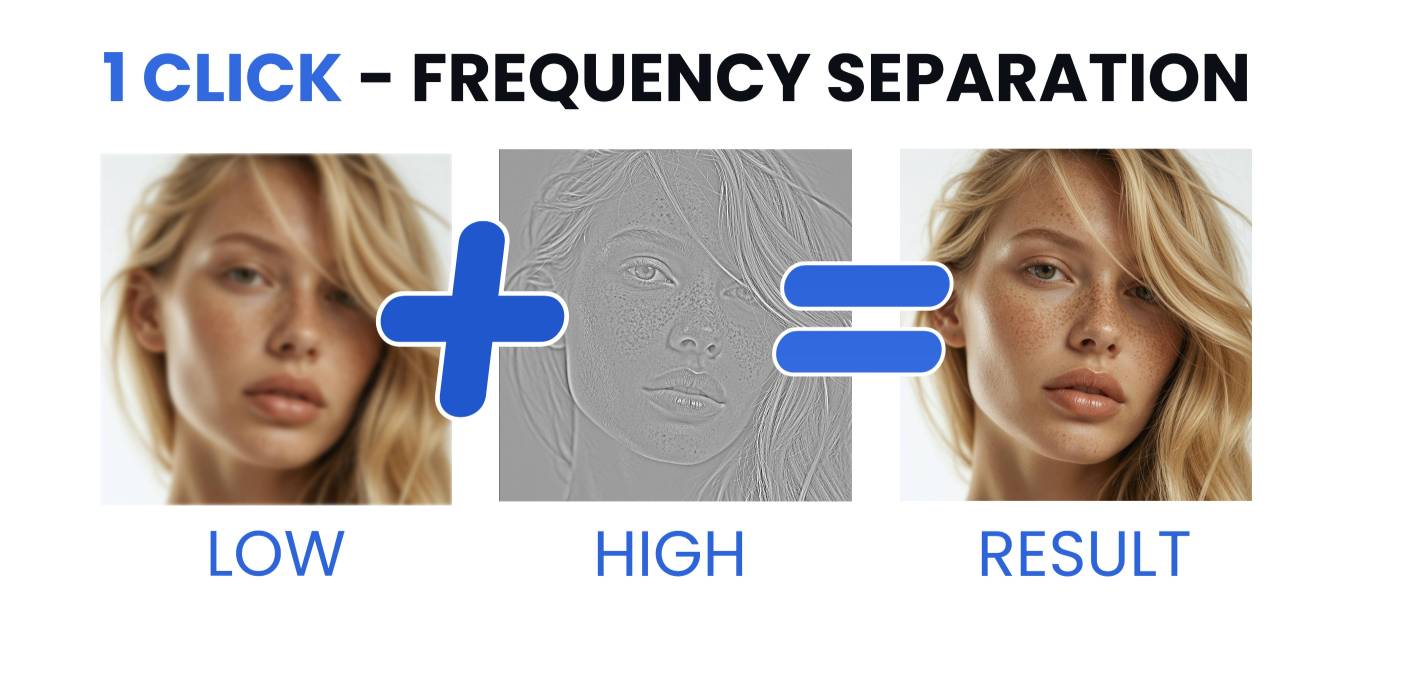 1-click demo
Frequency separation — one click
 Liquify
Liquify — smooth push & reshape
Retouch non-destructively, free.
Try the full editor free online — every tool, all layers, no sign-up, no watermark. Want it offline? The $19.99 download gives you the app for Windows, Mac & Linux, yours for life.
photoeditr.app — live editor Open full editor →One-time payment of $19.99 — no subscription. Price in USD and includes any applicable VAT or sales tax — nothing is added at checkout. EU/UK consumers have a statutory 14-day right of withdrawal — our 30-day money-back guarantee goes further. By continuing to checkout you agree to our Terms and License.