Buttons
A real button tool
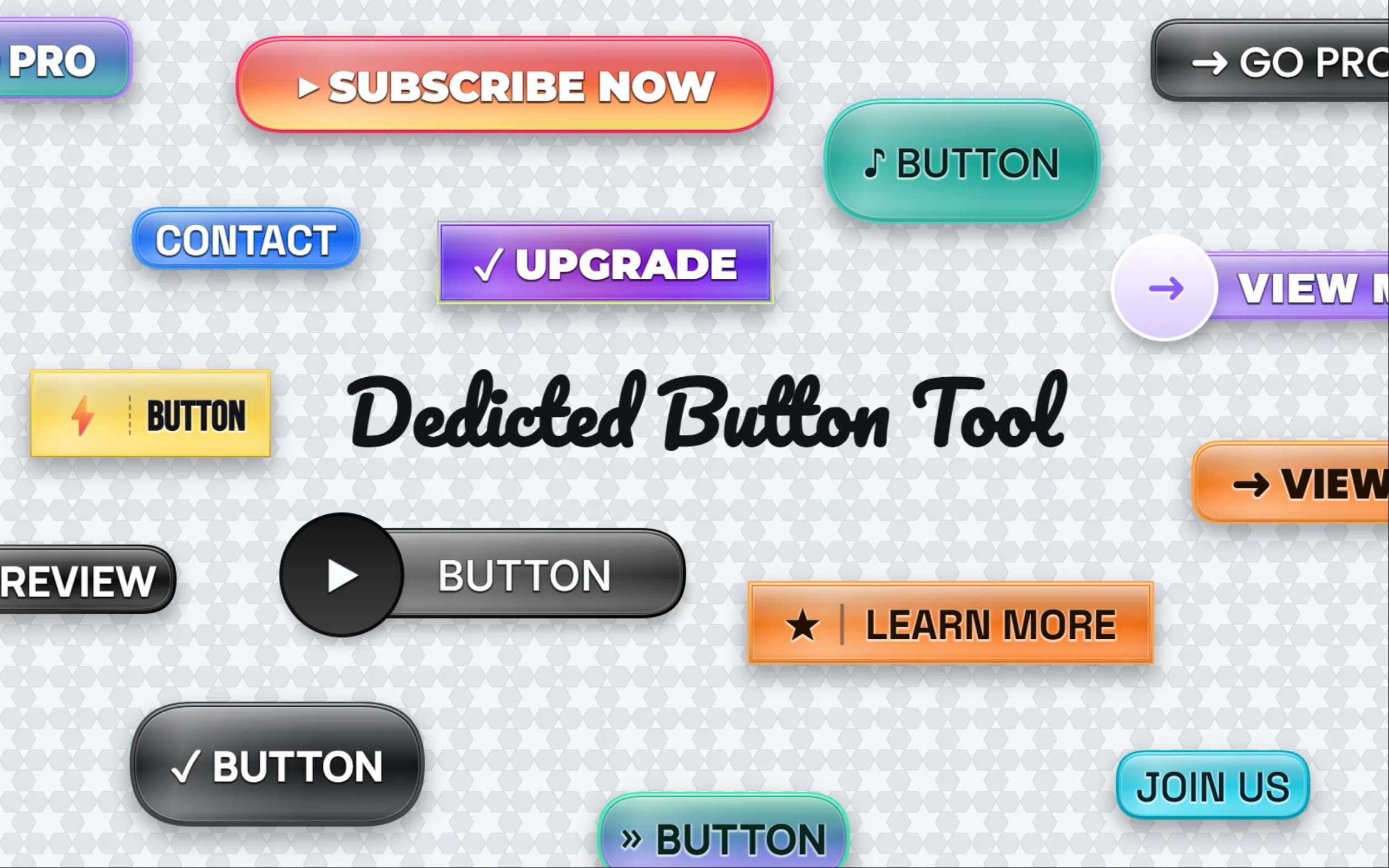
Design buttons that stay buttons. Pick a pill, rounded, sharp, outline, or circular shape and switch between them in a single click — the icon, gradient, label, and corner radius all stay live and editable.
v1.4.80 · build 1520
Every feature you'd reach for in a serious photo editor — running locally on your machine.
Core tools
Every tool in a professional workflow — layers, masks, type, vector, and retouch — all running on your device.
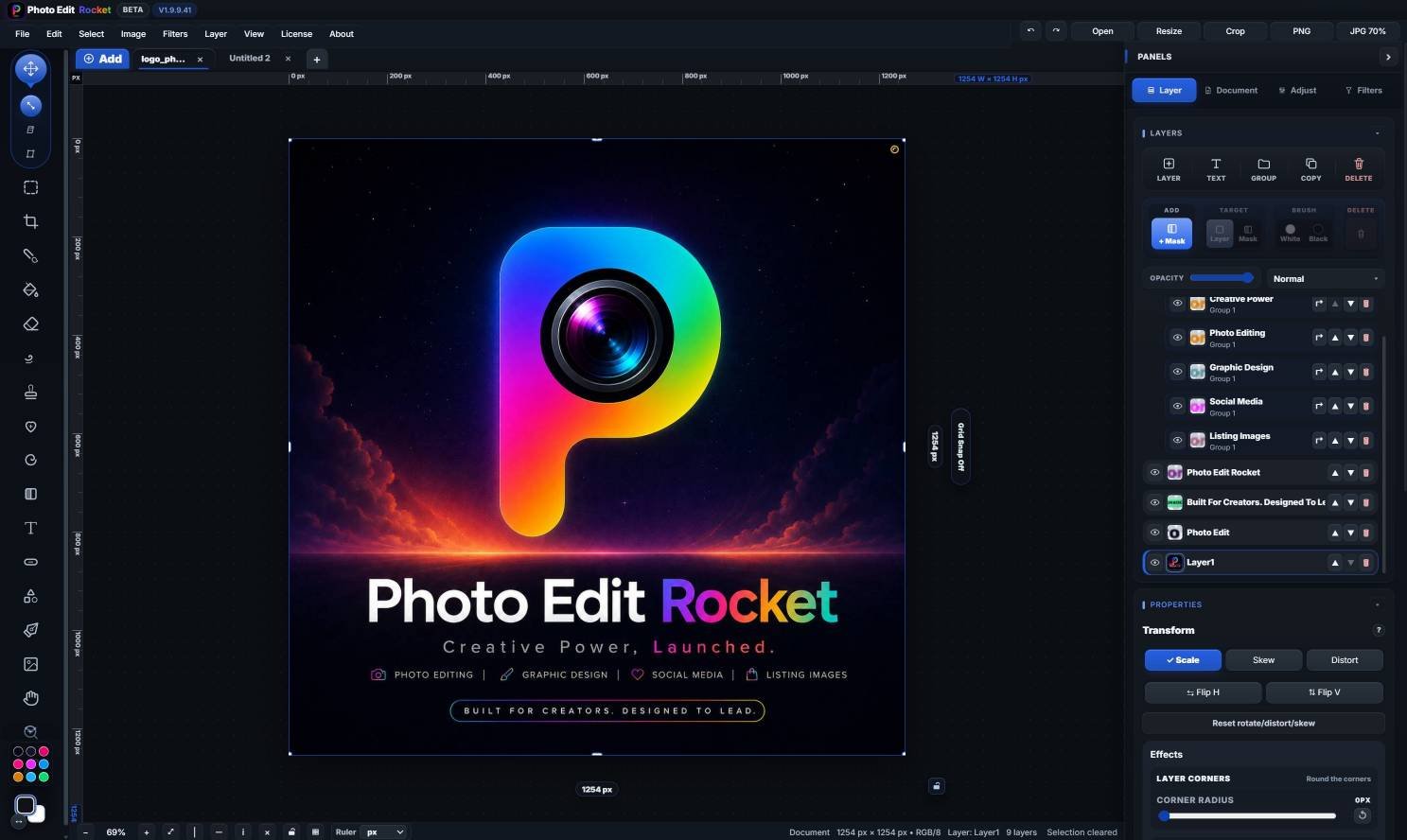
Full layer stack with opacity, blend modes, vector & paint masks, adjustment layers, groups, and Smart Editable Objects.
Gradient fills, outlines, shadows, text on a path, on a circle, vertical stacks.
Bezier pen with curve handles, shape library, polygon, star, arrow.
Brush, eraser, smudge, liquify, clone stamp, healing brush, bucket fill.
Up close
A closer look at the tools you'll reach for every day — what each one does, and why it saves you time.
Design buttons that stay buttons. Pick a pill, rounded, sharp, outline, or circular shape and switch between them in a single click — the icon, gradient, label, and corner radius all stay live and editable.
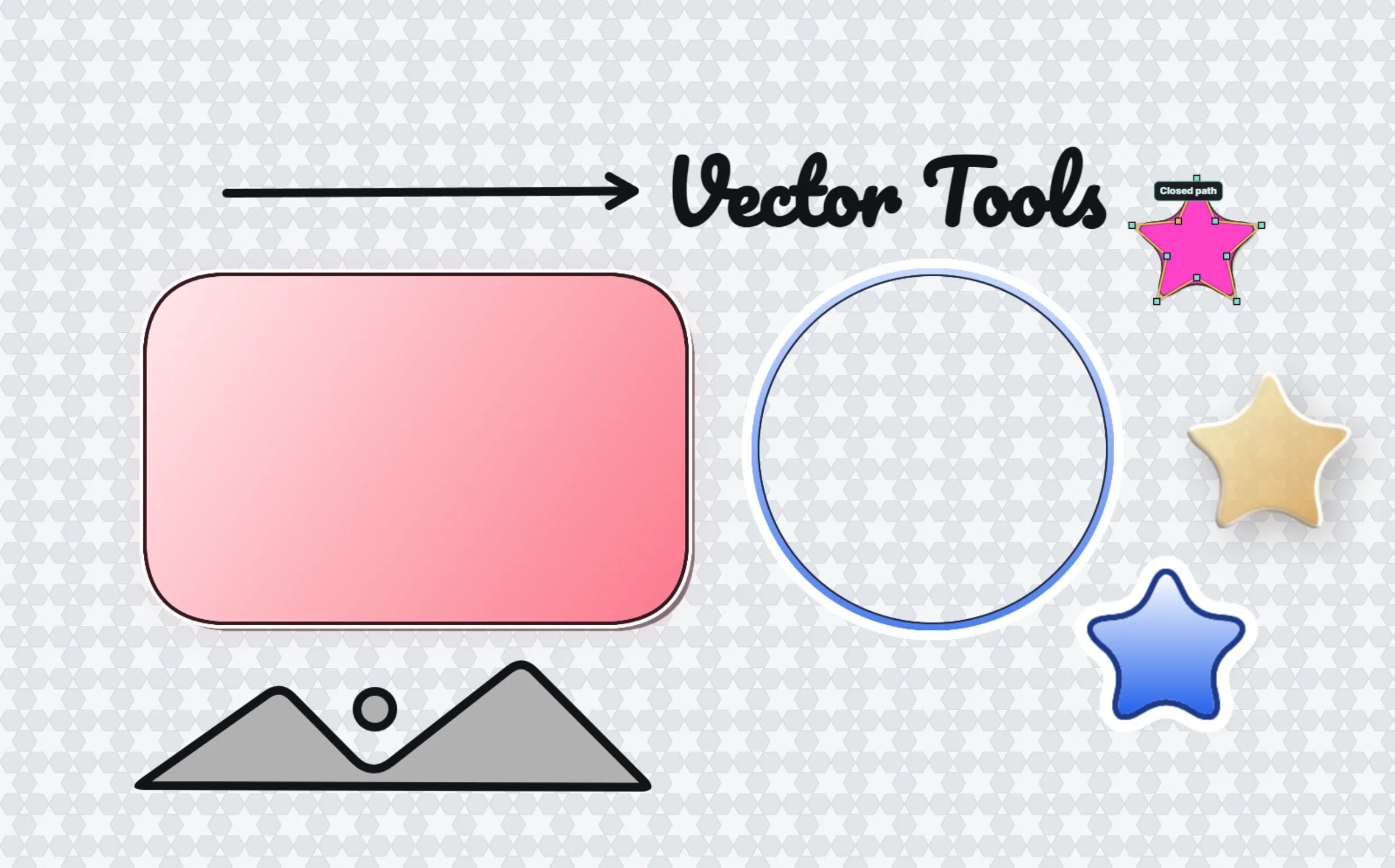
Not just a shape picker — a real Bézier pen. Drop anchor points, drag out curve handles, round individual corners, and convert any shape into editable points with a double-click.
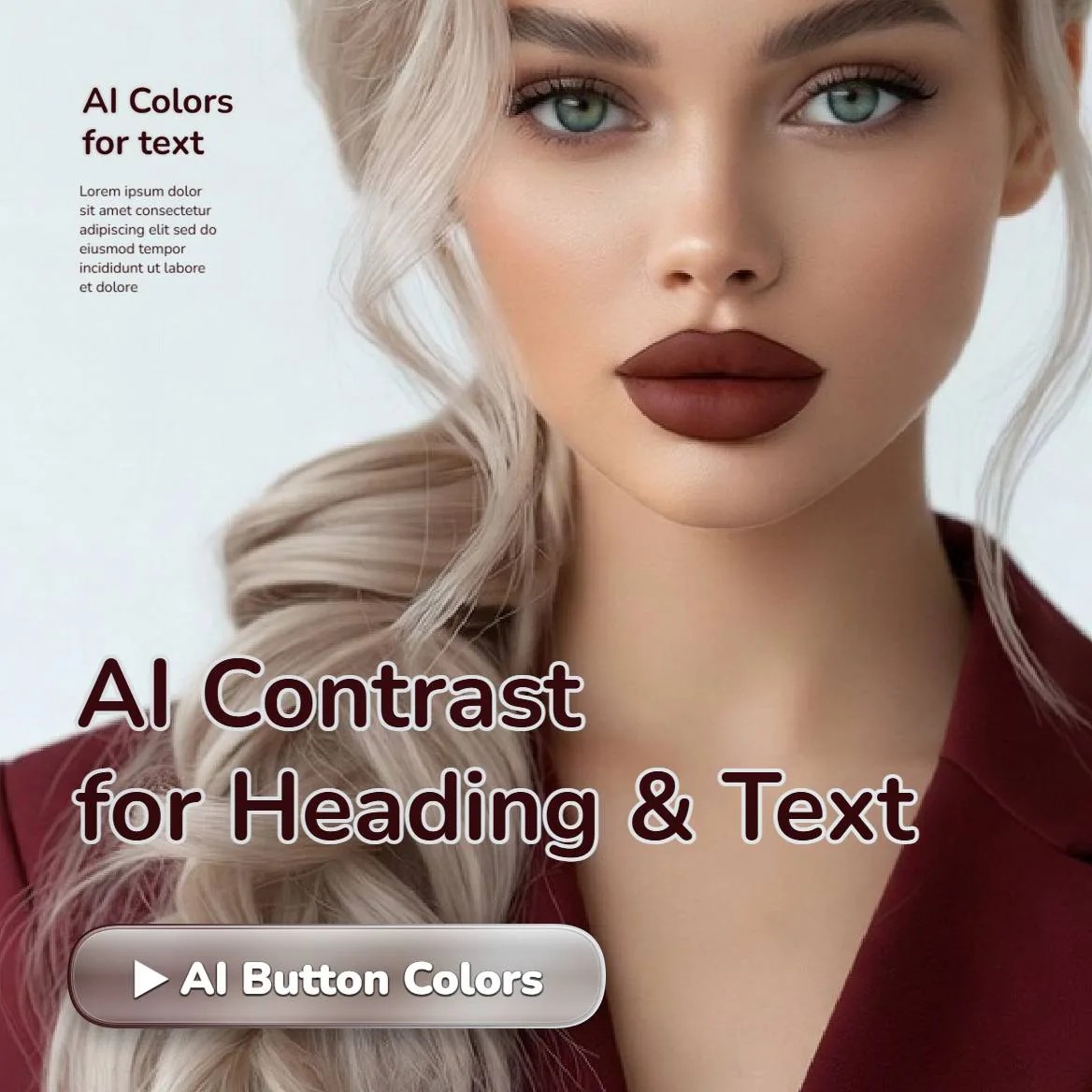
Legibility, handled automatically. The editor samples the exact patch of background behind each letter and flips the fill light or dark so your copy does not disappear into a busy photo, a gradient, or a flat color.
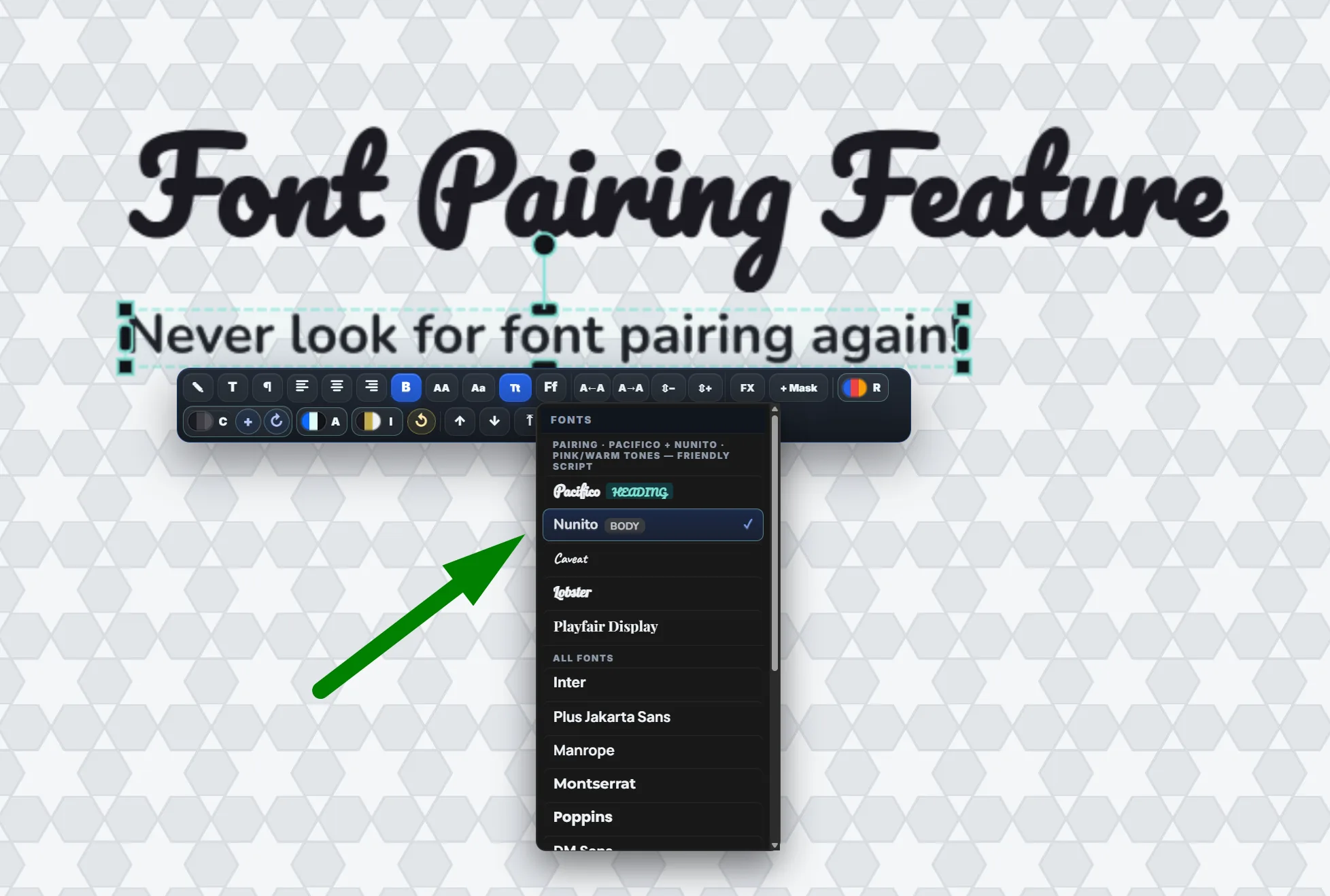
Pairing type is the hard part, so we did it for you. Get headline-and-body suggestions tuned to the mood of your image, with live previews before you commit — or let Auto match the fonts to your palette.
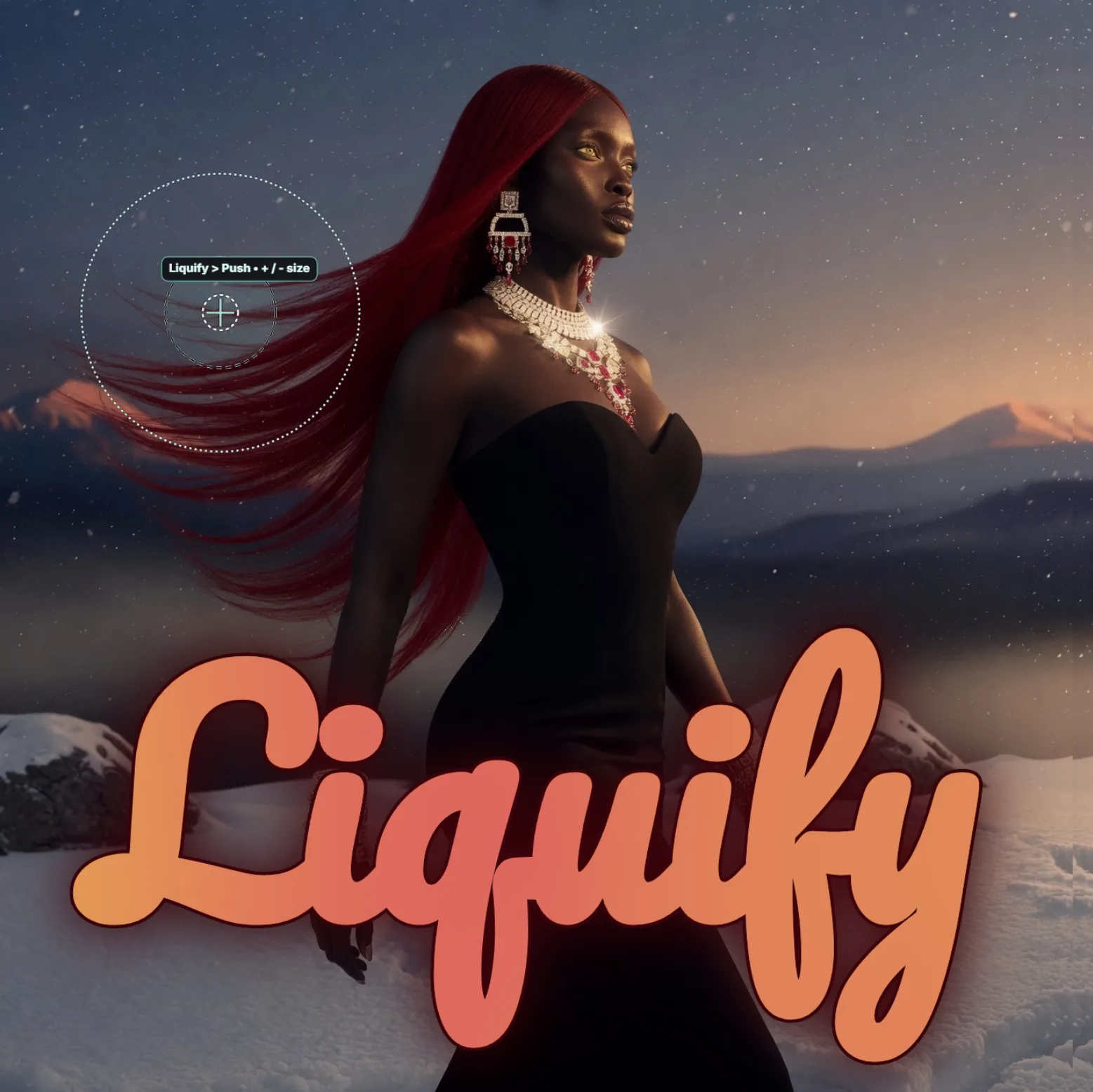
Nudge, twirl, pinch, and bloat with a pro-grade brush to retouch a portrait, exaggerate a shape, or reshape a product. Every liquify session auto-saves a backup layer, so you can step back to the untouched original if you push too far.
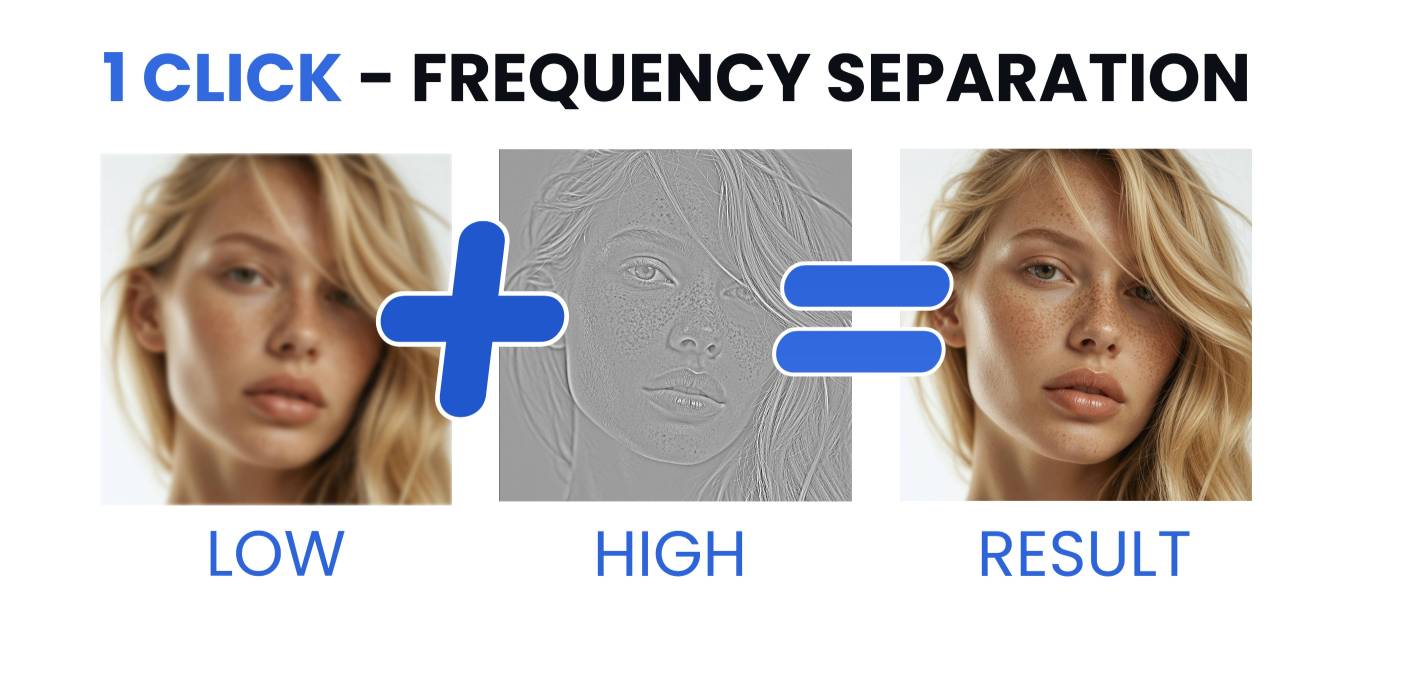
Studio-grade retouching without the studio setup. Frequency separation splits your image into a smooth low-frequency tone layer and a crisp high-frequency detail layer, so you can even out skin and color without smearing texture.
What's inside
A continuous look at the touches that make designing feel effortless.
Pill, rounded, sharp, outline, circle — switch shapes in one click. Icons, gradients, and labels stay editable.
Bezier curves, editable points, and per-corner rounding. Convert any shape into points with a double-click.
Measures the patch behind each letter and flips the fill so text stays legible — light, dark, or photo background.
Push, twirl, pinch, bloat. Retouch, exaggerate, or sculpt with the brush size you'd expect from a pro editor.
Headlines and body suggestions tuned to your photo's mood. Curated combos — or use Auto to match the palette.
Deeper dives
What each part of the editor does and why it matters.
Full layered editing in the browser — no install, no account, nothing uploaded to a cloud.
Real layers with masks and blend modes, not a flattened canvas.
A full retouch arsenal — healing, clone stamp, frequency separation, liquify and dodge & burn — on real, non-destructive layers, in your browser and on desktop.
Bring layered PSD files straight into the browser and keep editing — layers, masks and editable text intact, no heavy software to install.
Cut out your subject and clear the background right in your browser — precise selection, layer masks and refine-edge — then export a clean transparent PNG.
Try the full editor free online — no watermark.
photoeditr.app — live editor Open full editor →